


Migrating from Beehiiv to WordPress can unlock greater flexibility and growth opportunities, thanks to WordPress’s open-source platform and powerful publishing ecosystem.
Perhaps you want to monetize your audience through a membership platform like Memberful, Leaky Paywall, Paid Memberships Pro, or you want more flexibility with your website’s design. Whatever the case may be, WordPress is a strategic move.
Let’s dig into the details. Beehiiv is comprised of 2 main components: your email list and your past newsletter content.
Export your email list
Since Beehiiv stores all of your email addresses, we’ll need to export that data. You’ll need to migrate to a new email service provider like Mailerlite, ActiveCampaign, MailChimp, Constant Contact, etc. Your new email service provider will be in charge of ensuring that your emails get delivered.
Quick tip: save money ???? by hosting your own open source newsletter system using Sendy. Sendy utilizes Amazon SES for sending at a fraction of the cost. Newsletter Glue integrates with Sendy out of the box.
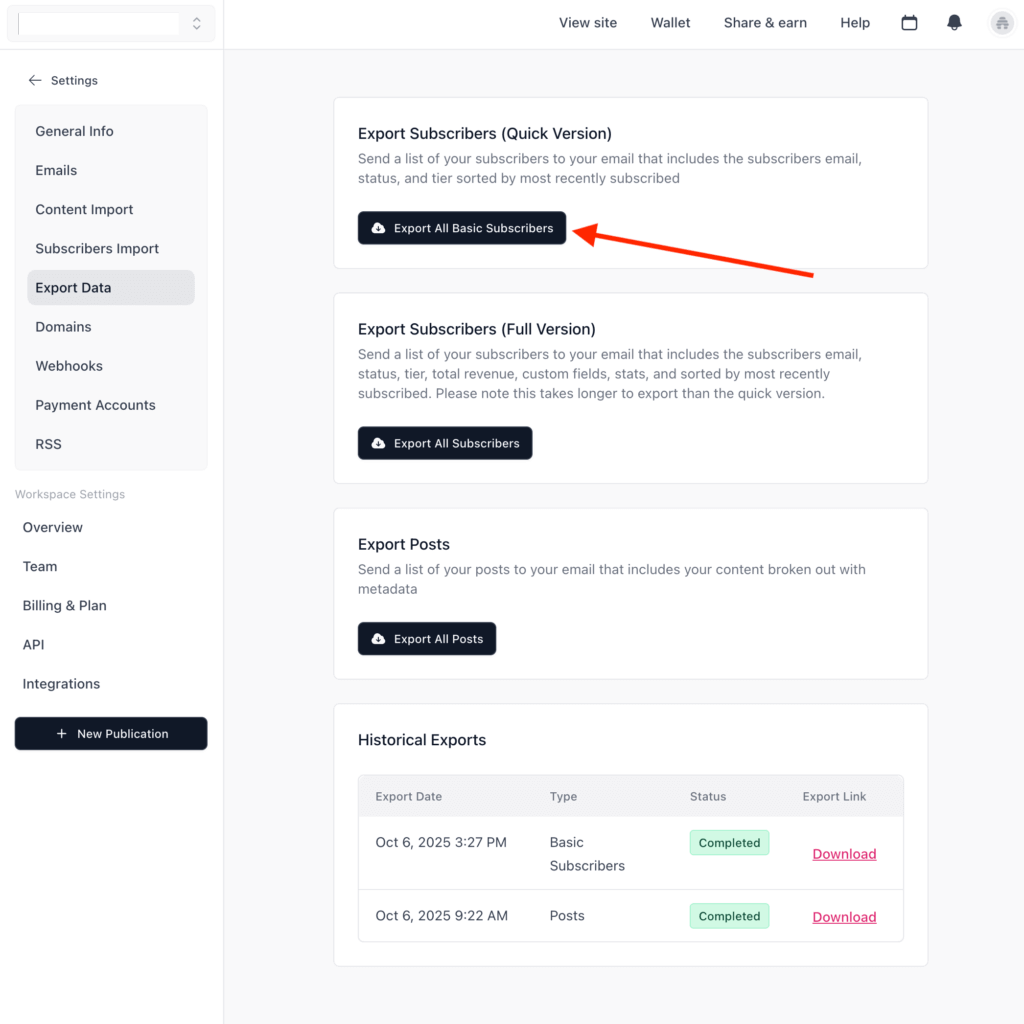
In Beehiiv, go to Settings -> Export Data -> Export All Basic Subscribers. This will export all of your subscribers into a CSV file.
Next, you’ll import your CSV list into your preferred email service provider (ESP). Each service will have a slightly different import process.
Export your newsletter posts
Next, export your Posts under Settings -> Export Data -> Export All Posts.

Importing data into WordPress
Importing the Beehiiv Posts CSV data into WordPress can be done using a plugin like WP All Import. Our friends at WP All Import are offering 60% off your first year when using this link. The process involves mapping each data field into its corresponding WordPress Post field. The HTML data isn’t perfect from Beehiiv. You’ll likely need to clean it up for WordPress.
Purchase WP All Import and activate the plugin on the WordPress site where you’d like to import your Beehiiv content.
Go to All Import -> Settings -> Function Editor and paste in this custom function:
function clean_beehiiv_html($html) {
    libxml_use_internal_errors(true);

    $doc = new DOMDocument();
    $doc->loadHTML($html, LIBXML_NOERROR | LIBXML_NOWARNING);
    $xpath = new DOMXPath($doc);

    $output = '';

    // Grab main article title (assumes only one h1 exists)
    $titleNode = $xpath->query('//h1')->item(0);
    if ($titleNode) {
        $output .= '<h1>' . $doc->saveHTML($titleNode) . '</h1>';
    }

    // Remove author photo <img> and author name <a> elements
    foreach ($xpath->query('//img[contains(@src, "profile_picture")]') as $imgNode) {
        $imgNode->parentNode->removeChild($imgNode);
    }

    foreach ($xpath->query('//a[contains(@href, "/authors/")]') as $authorLink) {
        $authorLink->parentNode->removeChild($authorLink);
    }

    // Pull article body paragraphs from td.dd
    $paragraphs = $xpath->query('//td[contains(@class, "dd")]/p');
    foreach ($paragraphs as $p) {
        $output .= '<p>' . $doc->saveHTML($p) . '</p>';
    }

    return $output;
}
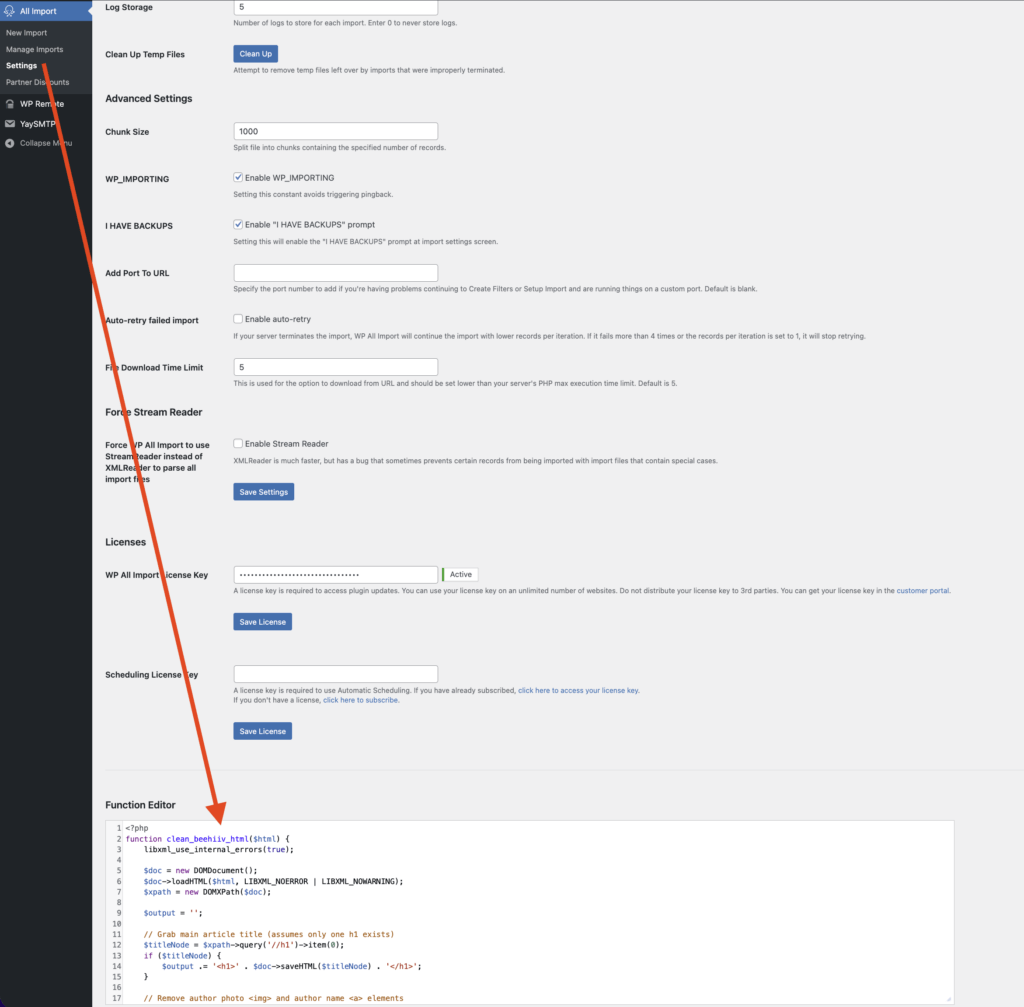
Don’t forget to Save Functions.
Upload your Beehiiv CSV to Import through All Import.
In the mapping area, you’ll take the variable that represents the content HTML and pass it through the custom function above.
[clean_beehiiv_html({content_html[1]})]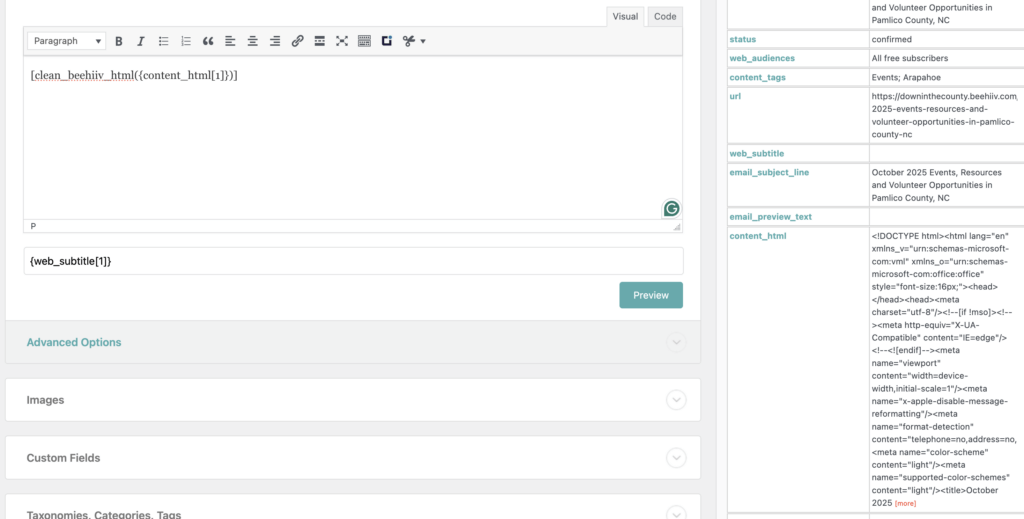
From here, you can import the CSV to your WordPress install, and the content_html will run through the custom function, cleaning out the Beehivv HTML, making it suitable for WordPress.
Please note: importing content on a production site should be conducted carefully. Please see WP All Import documentation for additional import details.
Need help with this step? Newsletter Glue can help.
Sending your newsletter from WordPress
Now that you’ve got your data migrated into WordPress from Beehiiv, it’s time to start sending newsletters directly from your WordPress dashboard using Newsletter Glue.
With Newsletter Glue, you can send WordPress posts as newsletters, or you can design a custom newsletter and pull in posts, images, etc, with minimal effort from your WordPress media library.
Connect your email service provider to Newsletter Glue.
Publish a newsletter directly from Newsletter Glue in WordPress.
And that’s it. Now you have an open-source WordPress-based website + newsletter sending tech stack that’s flexible to suit your growing site’s needs.