


You asked, we listened.
Newsletter Glue 4.0 (Pro) now supports two of the most popular WordPress ad tools used by publishers—Broadstreet Ads and WP Advanced Ads.
Ad Inserter block
With our new Ad Inserter block, you can drag and drop ads directly into your newsletter from inside the Newsletter Glue editor. No embed codes, no uploading images, no messy formatting.

Just open your newsletter, add the Ad Inserter block, and choose an ad from your existing inventory. That’s it. Your ad will automatically inherit your newsletter styles—so it looks like a natural part of your content, not a tacked-on afterthought.

Programmatic placements are coming next
But wait a minute, just being able to drag and drop an ad without fussing with code is just the start. We know what you’re thinking. You want to be able to place zones/groups of ads and have them programmatically cycle through rotations. That’s why we’ve already started working on this functionality for our next update.
A quick update: Newsletter Glue 4.0.1 now supports dynamic Ad Zone placements via Broadstreet.
What about newsletter ad analytics?
One of the best parts of this integration? It just works with the analytics you’re already using.
Whether you’re on WP Advanced Ads or Broadstreet, you’ll get click tracking and performance insights for every email ad:
- See how many subscribers clicked each ad
- Track CTR by placement
- Optimize layouts based on real data
This gives you the confidence to report results to sponsors and increase your ad rates based on performance.
Why This Matters for Publishers
Until now, placing ads in your newsletter meant extra tools, extra work, or both. Now, everything lives inside your existing WordPress workflow. Your editorial and ad teams can collaborate in one place, using tools they already know.
???? Bonus Features in 4.0 You Might’ve Missed
Mergetags
In addition, we’ve added new merge tags designed specifically for automations (works for manually sent newsletters too). For example, you can now include the title of your most recent latest post directly in the subject line.
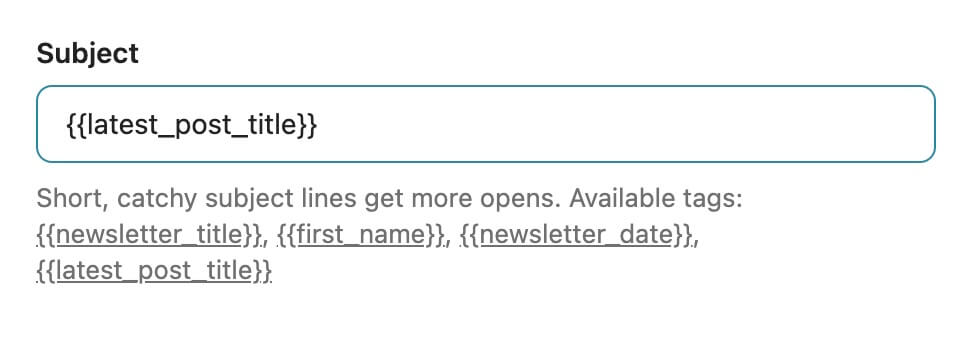
These dynamic tags make it easier to personalize and automate your newsletter subject lines—saving you time, keeping your audience engaged, and help prevent your newsletters from ending up in spam.
Automation scheduling
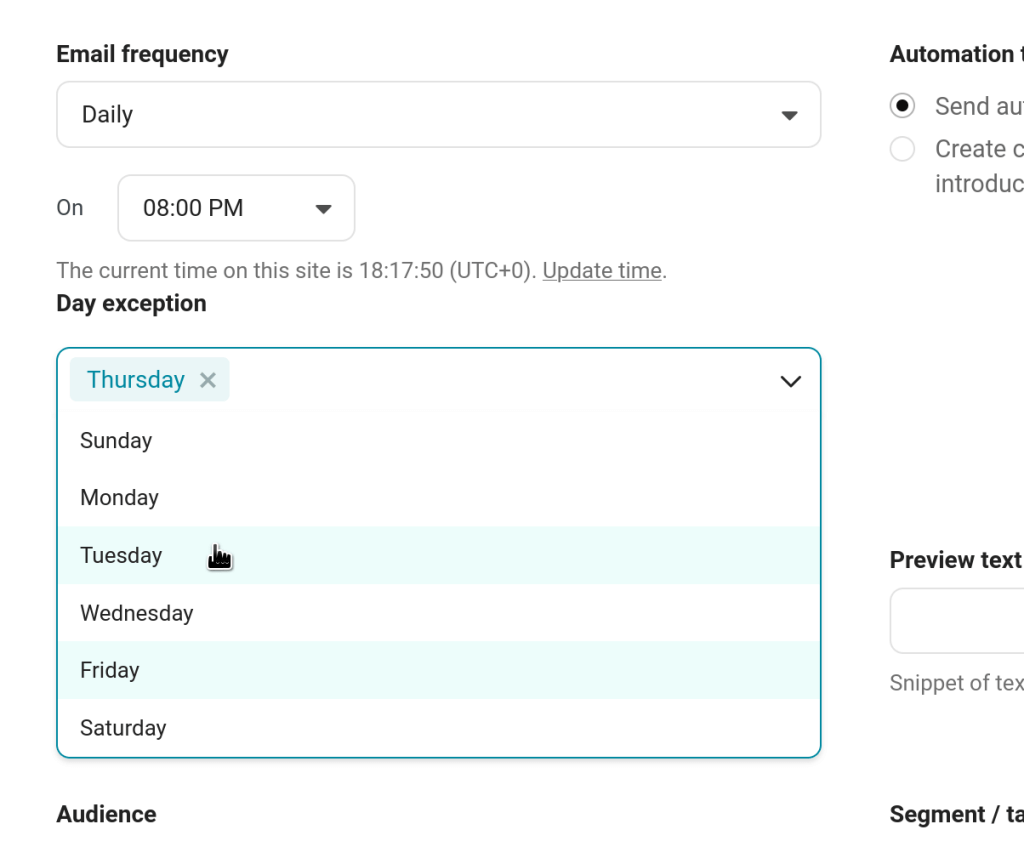
You can now exclude your automated newsletters on specific days of the week. This gives you more flexibility to choose specific days of the week that your automated newsletters are fired.
Ready to get started with 4.0?
If you’re already using WP Advanced Ads or Broadstreet, you can start inserting email ads today—no setup required.
Using a different ad plugin? Let us know which one we should support next →
???? Sneak peek of what’s coming next in 4.0
Among all of the new features above, Newsletter Glue 4.0 begins the foundational framework for our very own email service provider (ESP) solution built specifically for Newsletter Glue.
If you’re currently using Mailchimp, ActiveCampaign, or another ESP, you’ll soon have the option to opt for our in-house ESP sending solution to further simplify and consolidate your newsletter management.
Interested in switching to Newsletter Glue’s new built-in ESP? Sign up to our newsletter below to when the beta is released.